How do I know if my power station battery is dead? 2026 Guide
How do I know if my power station battery is dead? A battery is more likely to have failed when it repeatedly loses charge quickly or shuts down under a modest load after normal charging; a blank display or one failed charge is not enough to prove it. Test with the approved charger and a small, steady load. Stop if the case swells, smokes, leaks, or becomes severely hot.
Key Takeaways
- A power station battery may be depleted or temporarily protected; a blank display or failed charge by itself does not prove the battery has failed.
- Testing with the approved charger and a known-working source helps separate a charging-path problem from a battery problem.
- A small, predictable load can reveal unusually short runtime without requiring a full discharge.
- Stop testing a power station with swelling, smoke, leaking, burning odor, or severe heat, and contact the manufacturer.
What You Need Before Checking the Battery
Gather the correct charger, the manual for your exact power station model, and one small device that you know works. You can do the basic checks without opening the case or using electrical test equipment.
- Power station and approved charger: Use the charger intended for that model. Note the model name so you can find its charging instructions and error-code meanings.
- Manual: Keep it nearby for charging limits, operating-temperature guidance, and any model-specific reset steps. Do not guess at port ratings or charging requirements.
- Small known-good device: A phone can help establish whether a USB port produces power. Treat this only as a basic output test; it cannot show how much battery capacity remains.
- Notes: Record the battery percentage, any error message, and whether the display shows charging input. Write down the battery chemistry, such as LiFePO4, only if you know it.
- Safe test area: Use a dry, well-ventilated spot and follow the manual’s temperature guidance before charging.
A multimeter is not needed for these checks. Do not probe unfamiliar AC, DC, USB, or USB-C ports; using the wrong setting or contact points can damage equipment or create a safety risk.
Follow These Steps to Check Whether the Battery Is Dead
A failed charge or blank display does not prove the battery itself has failed. A useful answer to “How do I know if my power station battery is dead?” comes from testing for hazards, power, output, charging, and runtime in that order.
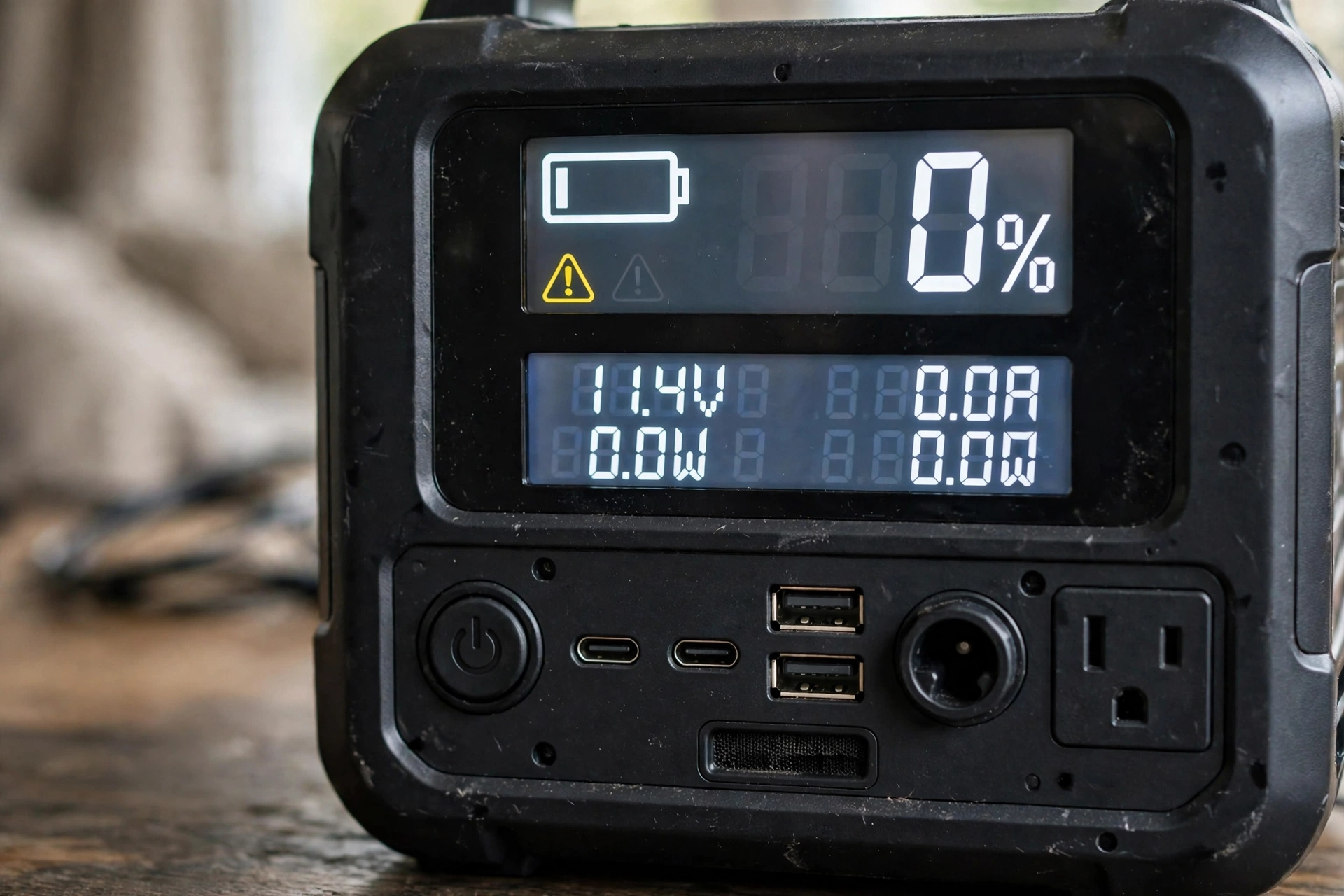
First, inspect the case, ports, and charger without opening the power station; swelling, smoke, leakage, a burning odor, or severe unexpected heat means you should stop using it and contact the manufacturer. If the unit shows no warning signs, use its normal power control and note any battery reading, error message, or response from the display.
Next, connect a small device you know works to one suitable output and switch that output on if needed; avoid a high-draw appliance. Recharge with the approved method and a known-working source, then run the same modest load for a short, observed period and note the starting and ending readings, output behavior, and any shutdown.
How to Tell Whether the Battery Test Worked
A power station that accepts charge and runs a suitable device is not completely dead, but that does not prove it still holds its original capacity. Read the display, charging input, and output behavior together; one successful test only establishes that part of the power path works.
| Test result | What it suggests | What to do next |
|---|---|---|
| The battery reading rises while charging, then a suitable device runs steadily | The battery can accept and deliver energy; reduced capacity is still possible | Compare a short runtime test with the manual or your station’s past performance |
| A device runs, but the screen or percentage display is blank or erratic | A display or indicator fault is possible; the battery may still be working | Judge only by safe, observable charging and output behavior, then contact support |
| The display works, but one AC, USB, USB-C or DC output fails | The fault may be in that port, its settings or its output circuit | Check the output mode and the manual’s protection or error guidance |
| The display shows 100%, but the station shuts down quickly under the same modest load | The displayed charge may not reflect usable capacity; battery degradation or another internal fault is possible | Repeat the short test under the same conditions and record the readings |
| Charging input reads 0W from a wall source | The outlet, cable or charging input may be at fault; this alone does not show that the battery is dead | Test a known-working outlet and the approved charging cable |
| A 12V DC vehicle socket works, but another output does not | Some battery power is available, while the failed output path may need attention | Test only the output you need, within the station’s limits |
Input watts show power entering through a charging path, not the battery’s total usable capacity. For example, a 300W input reading does not prove that the station can hold or deliver its rated energy.
Only model-specific diagnostics or manufacturer service can establish many internal battery faults. A repeatable, unusually short runtime is a reason to request that assessment, not to open the station.
Troubleshoot These Common Confusing Results
A missing charge indicator, blank screen, or short runtime does not by itself prove the battery has failed. Change one thing at a time, note what the station shows, and stop if you notice swelling, smoke, leaking, unusual odor, or severe heat.
The charger is connected but there is no charging indication
- Test the wall outlet with another small device, then reconnect the station’s approved charger directly to that outlet.
- Look over the charging cable and input port for loose connections or visible damage. A 0W input reading means the station is not registering power through that charging path; it does not diagnose the battery.
- Try another charging method only if the exact model supports it. A 12V DC vehicle socket is one possible source for compatible stations. Record whether the input indicator changes and any error code shown.
- If the station is too hot or cold, let it return naturally to the model’s published charging-temperature range. For the UDPOWER S1200, the listed upper charging temperature is 40°C (104°F); do not apply that limit to other models.
The display is blank but an output still works
- Stop repeated resets. Working output means some part of the station can still deliver power, but it does not establish that the display or battery is healthy.
- Note which output works, what device is connected, and whether the station responds to its controls. Contact the manufacturer about a possible display or control fault, and follow only the reset procedure for your exact model.
The station charges but shuts down quickly
- Disconnect other loads so the test device is the only appliance drawing power.
- Use the same predictable device and output for each test. Record the starting and ending battery readings, the displayed power draw, and any shutdown message.
- A gradual battery-level decline with short runtime can point to reduced usable capacity or a higher-than-expected load. A sudden percentage drop or shutdown while the display still shows substantial charge is more concerning, but does not identify the failed part by itself.
- Save error codes and the result of each attempt. If the same symptom repeats, give those notes to manufacturer support instead of repeating the same unsuccessful test.
When to Stop Testing and Contact the Manufacturer
Stop using and charging the power station if its case is swollen, it is smoking or leaking, it feels unusually hot, or it gives off an unusual odor. Do not handle a damaged unit; keep people away and follow local emergency guidance if it is smoking or burning.
Contact the manufacturer if none of the approved charging methods works, a fault warning remains after the steps in the manual, or the station shuts down under a modest, predictable load. The same is true if the display shows 100% before the station loses power: the cause could be the battery, display, or another part of the power system. If you’re asking, “How do I know if my power station battery is dead?” these symptoms are useful to report, but they do not identify the failed part by themselves.
Do not open the enclosure, bypass the battery-management system (BMS) or other protection, short contacts, or try an undocumented reset. These steps can create a shock or fire hazard and may make the fault harder to diagnose. Stop testing rather than trying a charger, cable, or adapter that the manufacturer has not approved.
When you contact support, provide the model and serial number, the charger and cable used, the charging source, and the displayed input reading. Note whether the source was a wall outlet, solar input, or 12V vehicle socket. Include the starting battery percentage, what load you tested, how the reading changed, any error messages, and when the problem began. Describe physical damage and share clear photos if support requests them. This gives support a useful record without requiring another risky test.
Test the Battery Safely and Avoid False Diagnoses
A controlled test is safer and more useful than repeatedly draining or resetting the power station. Use these precautions to keep the results meaningful:
- Test indoors in a dry, ventilated place. Follow the manual’s operating and charging instructions, including its temperature limits. A permitted range for one model does not apply to every power station.
- Change one thing at a time. If the station does not charge, keep the same outlet and approved cable while observing its display; do not swap several parts at once.
- Keep a short record: starting and ending charge indication, connected load, input reading, error message, and whether the station shut down. Note whether the display shows input while charging and whether the percentage changes later.
- Treat the display as a clue, not a capacity test. A 100% reading does not prove the battery can still hold its expected charge, and a brief runtime test cannot establish how much capacity remains.
- Do not run repeated tests to force the battery to empty. Avoid improvised chargers, incompatible solar panels, and repeated reset attempts. A solar panel must meet the exact model’s input requirements; matching its wattage alone is not enough.
- Stop if the case becomes unusually hot, swollen, wet, or damaged, or if you notice smoke or an unusual smell. Do not open the enclosure or bypass battery protection.
- For a reliable battery-health assessment, use the manufacturer’s diagnostic or service process. A charging-input reading can point to a charging-path issue, but it does not by itself prove the battery has failed.
Reduce the Chance of a Future Battery Problem
Good storage and a short readiness test can help prevent avoidable problems, but they cannot guarantee a particular battery lifespan. Follow the manual for your exact model, especially for storage charge level, maintenance intervals, and temperature limits.
- Use the manual’s storage schedule. Recharge at the stated interval and to the recommended level. Before an outage or trip, charge to 100% if the manufacturer recommends a full charge for use; do not assume that 100% is the right level for long-term storage.
- Keep ports and cables in good condition. Store the station dry, keep dust and debris out of its ports, and inspect cables for wear after travel or outdoor use.
- Avoid temperature extremes. Store and charge the unit within its specified temperature range. Do not leave it in a hot parked vehicle or try to charge it when the manual says conditions are too cold or hot.
- Use the right equipment. Use the charger and accessories approved for the exact model. If you plan to charge from a vehicle’s 12V outlet, test the correct cable and setup before you need backup power.
- Assess readiness ahead of time. Test the station, charger, and intended outputs before an outage or trip. A brief test can reveal a damaged cable or charging issue while there is time to address it.
The Bottom Line
How do I know if my power station battery is dead? Look for a repeatable pattern, not one symptom. A blank display, a failed charge, or a shutoff by itself does not prove the battery has failed; a charger, cable, port, output setting, or battery-management system may be the cause.
Start by charging with the approved equipment, then test the station with a small, predictable load. If it accepts charge and runs that load, compare its runtime and battery readings with the manufacturer’s guidance and its past performance. A clear, repeated loss of runtime or a rapid drop in charge points more strongly to lost battery capacity. If charging input is absent, or the battery reading looks normal but an output fails, investigate that part of the power path instead.
Do not open the station or force a reset or deep discharge. If the case is damaged, swollen, leaking, unusually hot, or smells burnt, stop using and charging it. If a controlled test keeps showing poor capacity, contact the manufacturer with the model, readings, error codes, charger used, and test results. Your next step is to record the battery reading and any error code before contacting support.
Related reading:
Frequently Asked Questions
How can I tell if a power station battery is bad or just dead?
A depleted power station battery may accept charge from its approved charger and then run a predictable load. A failing battery is more likely if charge drops sharply, runtime is much shorter than before, or the station shuts down under a modest load after charging. A charging-path or output fault can mimic battery failure.
How long does a power station battery last?
A power station battery’s service life depends on its chemistry, model, use, storage, and temperature. LiFePO4 is a lithium battery chemistry, but its expected life still depends on the manufacturer’s specifications and operating guidance. Compare the station’s runtime with its past performance; age alone does not prove the battery is dead.
How do I reset a power station?
A power station reset procedure is model-specific, so use only the steps in the manufacturer’s instructions. A directed power cycle cannot restore lost battery capacity. Record error codes first, disconnect loads as instructed, and do not follow generic reset videos or open the case.
Can you revive a dead power bank?
A power bank that is simply depleted may work again after charging with its approved cable and adapter. A power station with a damaged battery, swollen case, unusual heat, leaking, or burnt odor is not safe to revive; stop using it and contact the manufacturer. Avoid improvised chargers and forced deep discharges.
Why does my power station show 100% but die quickly?
A power station that shows full charge but shuts down quickly may have lost usable capacity, or its display may not reflect the battery’s actual state. Disconnect other devices and try one small, predictable load. If the short runtime repeats after normal charging, share the readings and test details with manufacturer support.
Can I test a power station battery without fully discharging it?
Yes. Charge the power station normally, then run one small, predictable device and note the starting and ending readings and elapsed time. Stop before the battery reaches empty. Compare the result with your past runtime or the manufacturer’s guidance; a full deep discharge is not required to identify a repeated sharp decline.
Can a portable power station battery be replaced?
A portable power station battery may be replaceable on some models, but access and service options vary by manufacturer. Do not open the unit or attempt a cell swap yourself. Contact the manufacturer with the model, serial number, symptoms, and test results to learn whether an approved repair or replacement is available.

Similar Posts












[…] the portable power station, both panels, compatible wiring, and the specifications for each before making a connection. This […]