BLUETTI Apex 300 Review: Is This Power Station Worth It?

When we started our bluetti apex 300 review research, the sticking point wasn’t output wattage or solar input. It was runtime. A 2,764.8Wh station covers a fridge, a router, and a handful of lights overnight, then it’s tapped out.
So the real question became simple: what does BLUETTI’s 5,120Wh add-on pack actually buy you?
Short version: it’s worth it if you’re building toward multi-day or whole-home backup on the Apex 300 platform. Skip it if you just want a weekend camping box, because you’ll pay for capacity you never touch. Here’s the full breakdown.

1. BLUETTI B500K Expansion Battery Apex 300
This is the piece that turns the Apex 300 from a good camping station into a serious backup system. It’s a 5,120Wh LiFePO4 pack that stacks with the same unit, and verified buyer feedback keeps landing on two themes: it works exactly as advertised, and it’s heavier than people expect.
What it is
An expansion battery is a slave pack: cells, a battery management system (BMS), and a DC output port, with no inverter and no AC sockets of its own. It exists purely to hand capacity to a host station. BLUETTI’s B500K is the largest pack in the Apex 300 line at 5,120Wh, and it stacks into a tower with the station so the pair reads as one appliance.
The competitive set is small. EcoFlow sells Smart Extra Batteries for the Delta Pro family, Anker SOLIX pairs the F3800 with its BP3800 pack, and Jackery does something similar with the HomePower 3000. Every one of these locks you into its own ecosystem, and that’s the honest trade-off you accept here.
If you’re mostly doing weekend basecamp setups rather than home backup, a smaller station is better value.
Setup & first impressions
Here’s what verified buyers report most often: the pack ships at roughly 30 to 50 percent charge, which is the correct storage voltage for LiFePO4 and a good sign the cells weren’t parked at full charge in a warehouse. The expansion cable is keyed and only fits one way. Most owners say they were running in under ten minutes.
Weight is the first surprise. This is a floor-standing unit, and aggregate reviews from owners who’ve moved it between rooms describe stairs as a two-person job. The tower also needs vertical clearance, since the Apex 300 sits on top of the pack in the stacked configuration.
Build quality reads premium where it counts. Buyers consistently mention the molded handles, the metal shell, and the fact that state of charge shows up on the host display within seconds of connecting. The recurring gripe is documentation: the quick start sheet is thin, and plenty of new owners end up troubleshooting their first full charge before things click.
| Usable capacity | 5,120Wh |
| Cell chemistry | LiFePO4 (lithium iron phosphate) |
| Cycle rating | 3,500 cycles to 80% capacity |
| Host compatibility | BLUETTI Apex 300 expansion port only |
| Combined system capacity | 7,884.8Wh (Apex 300 plus one B500K) |
| Stacking | Tower format, multiple packs supported |
| Charging route | Through host station AC or solar input |
| Monitoring | State of charge on host display and BLUETTI app |
| Warranty | 5-year limited (confirm current terms at purchase) |
Daily-use experience
Runtime: what 5,120Wh actually buys you
Pair one B500K with an Apex 300 and you’re working with 7,884.8Wh, which covers most households’ critical loads for two to three days without sun. A typical 18 cu ft fridge pulls around 1.5 kWh per day in mild weather, so the stack alone carries refrigeration for several days before you count lights, router, or a CPAP drawing 30 to 40W overnight.
That’s the gap between waiting out a 12-hour outage and genuinely riding out a 72-hour one. It’s also the difference between a usable fridge backup plan and one where you’re moving food to a cooler on day two. Owners who track their loads report roughly 80 percent usable capacity in practice before the inverter cuts out.
Charging speed and solar pairing
The B500K has no AC inlet of its own. It refills through the Apex 300, so your recharge rate is set entirely by what the host can pull from the wall or from panels. That’s fine on grid power, where a full combined recharge is a multi-hour affair rather than an overnight one.
Solar is where it gets interesting. The Apex 300 accepts high-wattage arrays through dual maximum power point tracking (MPPT) inputs, and BLUETTI’s own figures suggest a full 7,884.8Wh recharge fits inside one long, bright day at the top of that input range. Feed it a single 400W folding panel instead and you’re looking at the better part of a week.
The solar sizing basics matter more than the battery here.
Living with the stack: space, heat, and noise
The pack has no inverter and no cooling fan, so it’s silent. All the heat and all the fan noise come from the Apex 300 during heavy AC loads, and verified owners report the stack stays warm to the touch rather than hot during multi-hour runs. LiFePO4’s thermal profile is the reason: it’s a chemistry that prioritizes stability over raw energy density.
Footprint is the real cost. This is a floor appliance, not a shelf item, and the tower is tall enough that you’ll want it against a wall rather than in a traffic path. The expansion cable has limited reach, so the pack sits directly beneath or beside the host.
Plan the corner before it arrives.
Battery health over the long haul
BLUETTI rates these cells at 3,500 cycles to 80 percent of original capacity. At one full cycle a day that’s close to a decade before meaningful degradation, and most owners cycle a backup pack far less than that. Calendar aging, not cycle count, is usually what limits lifespan in real households.
Practically, that means storing the pack around 50 percent if it’s going to sit for months, and topping it to full a day or two before storm season. If you want a framework for spotting trouble early, these battery health checks apply to the whole stack. The app’s per-pack state of charge makes it easy to confirm both units are balancing properly.
✓ Pros
- 5,120Wh of LiFePO4 takes a single Apex 300 to 7,884.8Wh without a second inverter
- 3,500-cycle rating to 80 percent means roughly a decade of daily cycling before real degradation
- Stackable tower keeps the footprint of one appliance instead of two boxes on the floor
- Keyed expansion cable and host-side state of charge make setup a five-minute job for most owners
- Charges from whatever AC or solar input the Apex 300 already has, so there’s no second charger to buy
✗ Cons
- Works only with the Apex 300, so the pack becomes dead weight if you switch platforms
- Heavy floor unit: verified owners describe moving it upstairs as a two-person job
- No independent AC inlet, so a host station in for repair leaves the pack unusable
- Cost per usable watt-hour runs higher than a rack battery paired with a separate inverter
Who should buy it
Buy it if you…
You already own an Apex 300 and you’ve hit its ceiling. That’s the owner this pack is built for: someone running a fridge, a well pump, or a sump pump through an outage and discovering that 2,764.8Wh disappears faster than expected. If you’re sizing for multi-day storm coverage in a rural area where the grid takes its time coming back, the math favors one big pack over three small stations.
Skip it if you…
You haven’t bought the host station yet, or you mainly want portable power for camping and tailgating. A 5,120Wh floor unit is the wrong shape for a car trunk and the wrong budget if you’re never home during an outage. Also skip it if you want a battery that can be topped up independently, because this pack has no charge port of its own.
Better alternatives
- EcoFlow Delta Pro Ultra with its own expansion packs: a stronger pick if you’re starting from zero and want a transfer-switch-ready system, though the entry cost climbs fast.
- Anker SOLIX F3800 plus BP3800: a cleaner fit for EV charging integration and a slightly more modular layout, at a similar tier of spend.
- A rack battery plus separate inverter: much cheaper per usable watt-hour, but it’s a wiring project, not a plug-in appliance.
For a sense of how the whole-home rivals stack up, the trade-offs are mostly about ecosystem and install complexity rather than raw capacity.
Frequently Asked Questions (FAQ)
Does the B500K work with other BLUETTI power stations?
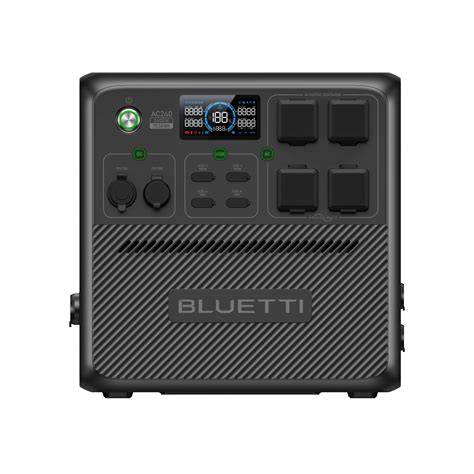
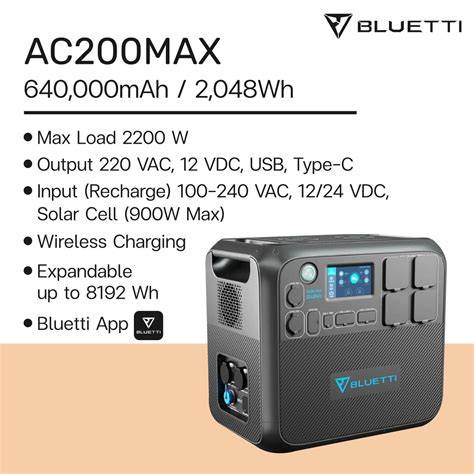
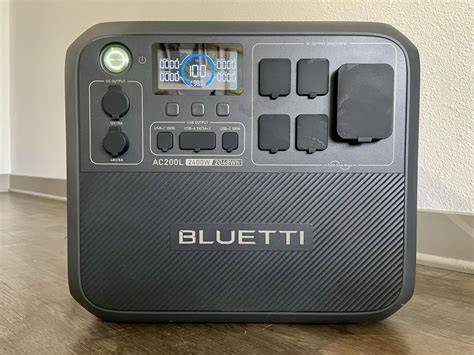
No. The B500K uses a dedicated expansion port built for the Apex 300, and BLUETTI’s compatibility list doesn’t extend it to the AC200L, AC240, or Elite 200 V2. If you own one of those instead, its own matching expansion pack is the right buy.
Confirm your host model before ordering, because the connectors are physically different and no adapter exists.
Can you charge the B500K on its own?
Not directly. There’s no AC inlet or solar input on the pack itself. It fills through the Apex 300, which acts as the charge controller for the whole stack.
That’s convenient at home, since one cable and one wall outlet refill everything. It’s less convenient if the host station is out for repair, because the pack can’t be topped up in the meantime.
How many B500K packs can one Apex 300 handle?
BLUETTI’s published configuration supports stacking multiple B500K packs on a single Apex 300, which is how the platform reaches whole-home-scale capacity. Most households stop at one or two. Beyond that you’re sizing for multi-day outage coverage or an off-grid cabin, and at that point wiring, transfer switch, and floor space matter as much as battery count.
How long will the pack actually last?
BLUETTI rates the LiFePO4 cells at 3,500 cycles to 80 percent of original capacity. At one full cycle a day that’s close to a decade before a meaningful drop. Real-world use is gentler: most owners cycle the pack a few dozen times a year for outages and trips, so calendar aging rather than cycle count usually sets the lifespan.
Does it get hot or make noise?
The B500K has no inverter and no cooling fan of its own, so it stays silent. Heat comes from the host station during heavy AC loads, not from the expansion pack. Owners report the stack stays warm rather than hot during multi-hour runs, which tracks with LiFePO4’s thermal profile.
For context on why that matters, UL 9540 is the safety standard covering energy storage systems, and listed LFP gear is a safer bet than a bare rack battery wired at home.
Final verdict
4.4 out of 5. One B500K turns the Apex 300 from a competent weekend station into a genuine multi-day reserve, and it does it without a second inverter, a second app, or a second set of outlets to manage. The 5,120Wh of LiFePO4 and 3,500-cycle rating put it in the top tier for this class of expansion pack.
The caveats are real, though. It’s heavy, it only works with one host model, and it can’t be charged on its own. If any of those matter to you, a different ecosystem or a DIY rack setup will serve you better.
Buyers who already own the Apex 300 and want capacity, not portability, are the ones who come out ahead.
Affiliate disclosure: This post contains affiliate links. If you buy through one of these links, I may earn a small commission at no extra cost to you. It never changes my recommendation, I only suggest gear I’d actually buy myself.

Similar Posts


[…] answer to how to connect two solar panels to a power station is to compare each panel’s voltage, current, and wattage with the station’s limits, then wire […]